
How to Install IPTV App on Windows










How to setup IPTV on Android with IBO PRO PLAYER App
1- Unlock your Android device and go to Play Store (Google Play)
2- Browse for IBO PRO Player in the Google Play Store.
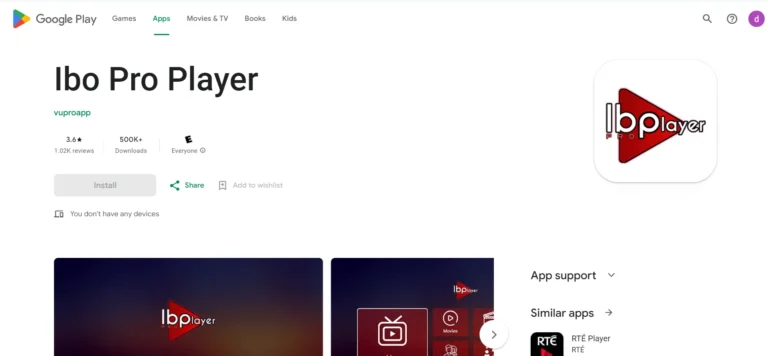
3- Select Install to install the Ibo Pro Player on your Android device.
4- Launch the IPTV player.
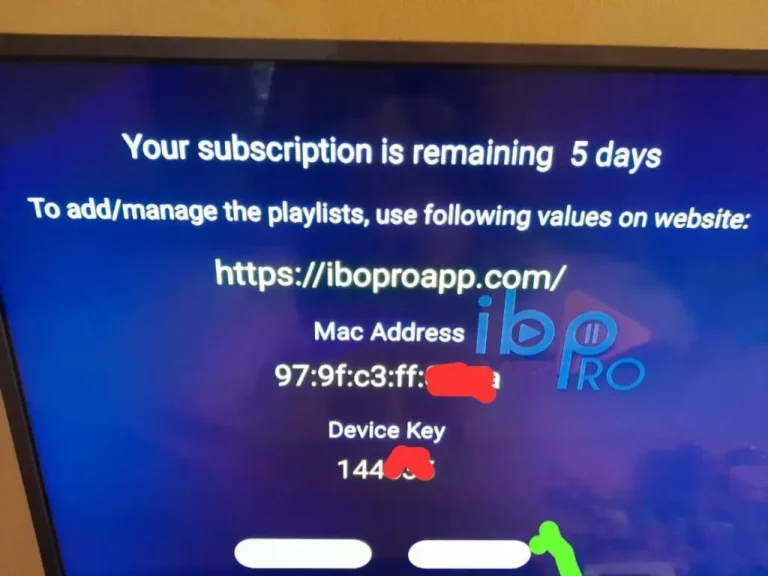
5- Pops Image with Mac Address and device key Show Up. Click Continue:
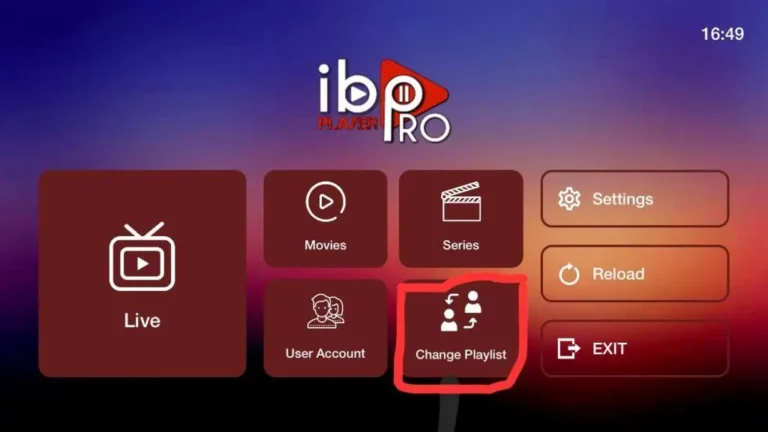
6- App Home page will appear. Click On Change Playlist
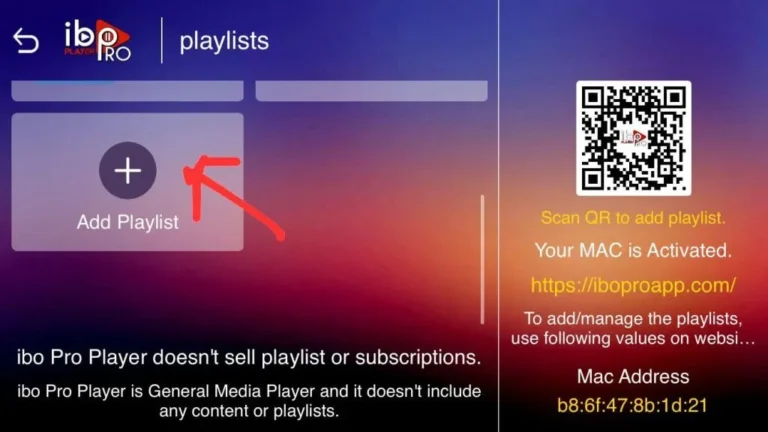
7- Click on Add Playlist
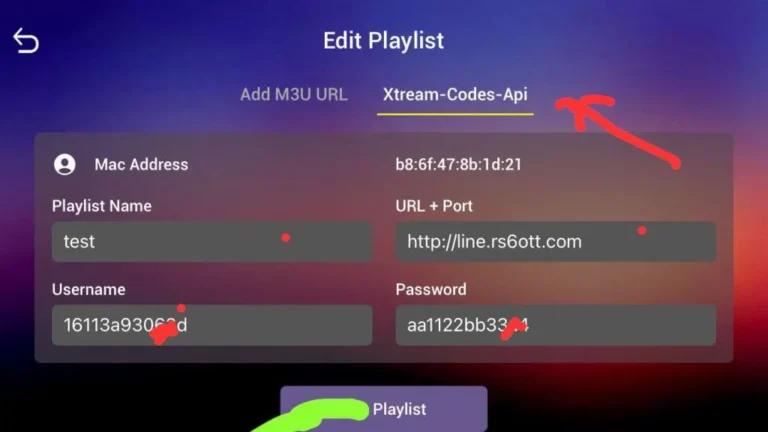
8- Select tab Xtream-Codes-API and check for info in your email inbox/spam for Subscription Account Login Details
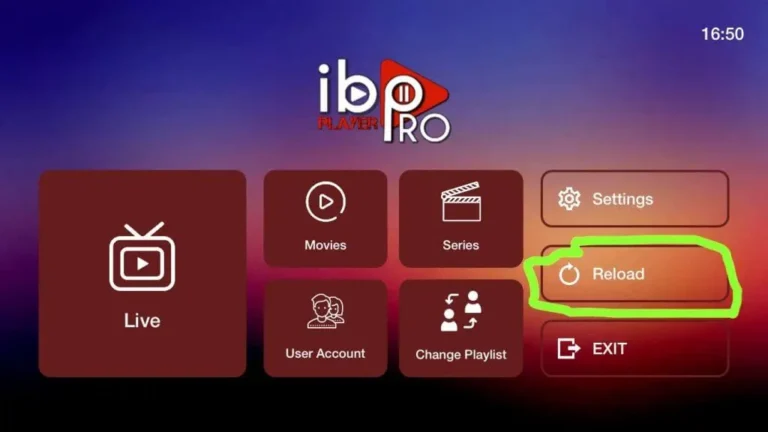
9- Select Add Playlist. Make sure playlist is connected back to Home Page and click Reload
Enjoy your Subscription!
Price: The app gives you a 7-day free trial after that it will show you instructions on how to pay 8€ / Lifetime (we don’t own the app)
Note: If you still have issues, please take a photo of your Mac address and device key with your phone and send it to our team via EMAIL: contact@8kiptv.net
Or contact us via WhatsApp