How to Setup IPTV On MAG BOX











8K IPTV
How to Setup IPTV On MAG BOX All Models
This tutorial will guide you through simple and effective steps of installing your Mag (250/254/256…).
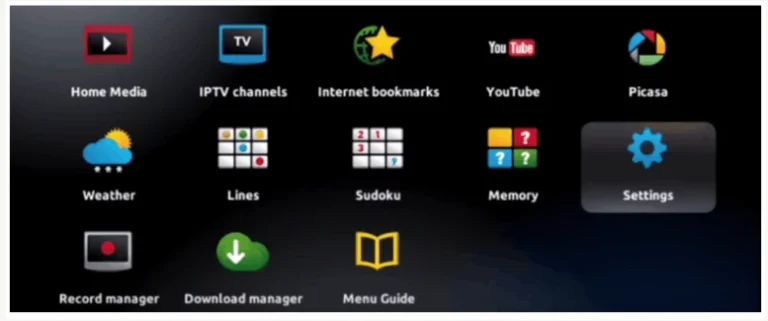
Step 1: When the box is being loaded the main portal screen appears. After that click on “settings”, and press the remote button “SETUP/SET”.
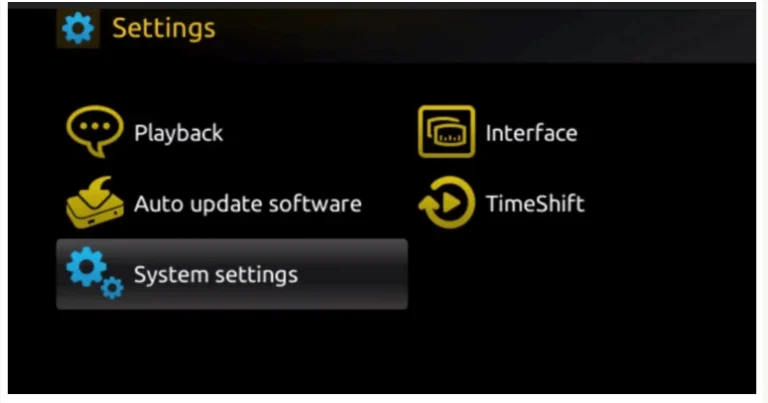
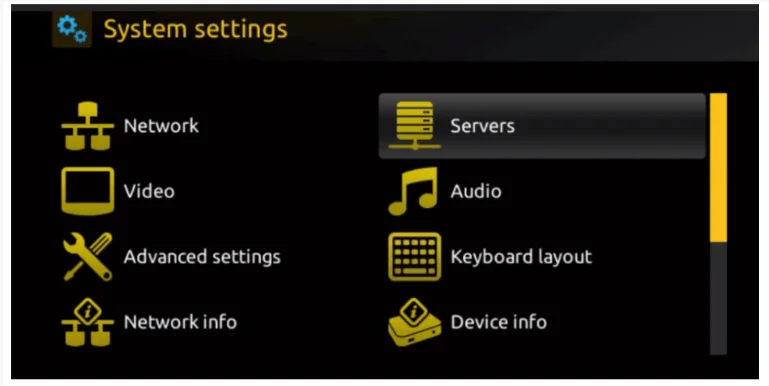
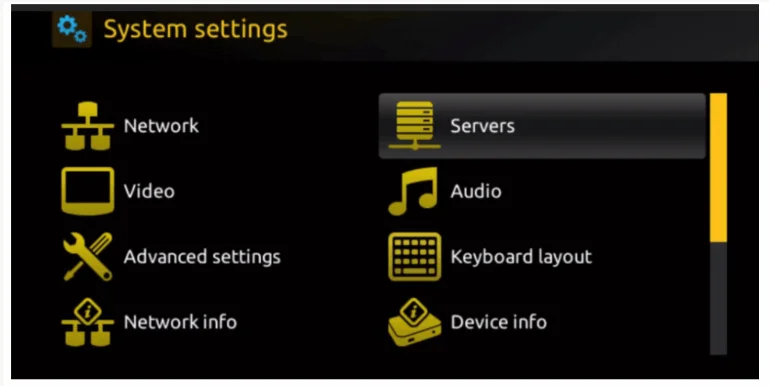
Step 2: Then press on “System settings” and click on “Servers”.
Step 3: Click on ‘Servers’
Step 4: Choose and Press option ‘Portals’
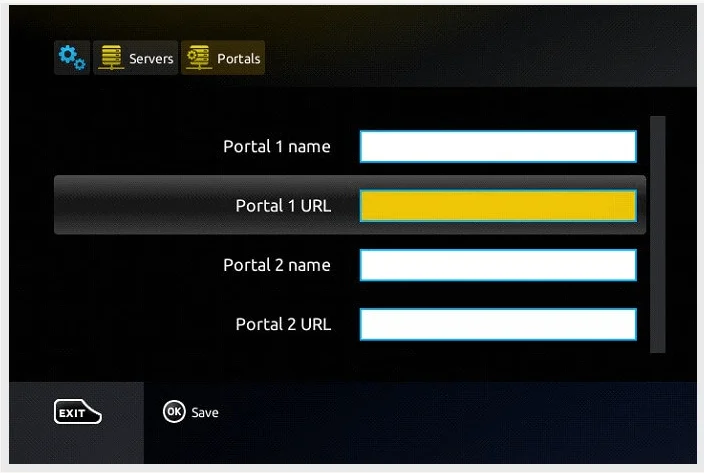
Step 5: Choose and Press option ‘Portals’
Step 6: In the ‘Portal 1 name’ line enter a portal name and in the ‘Portal 1 URL’ enter portal URL.